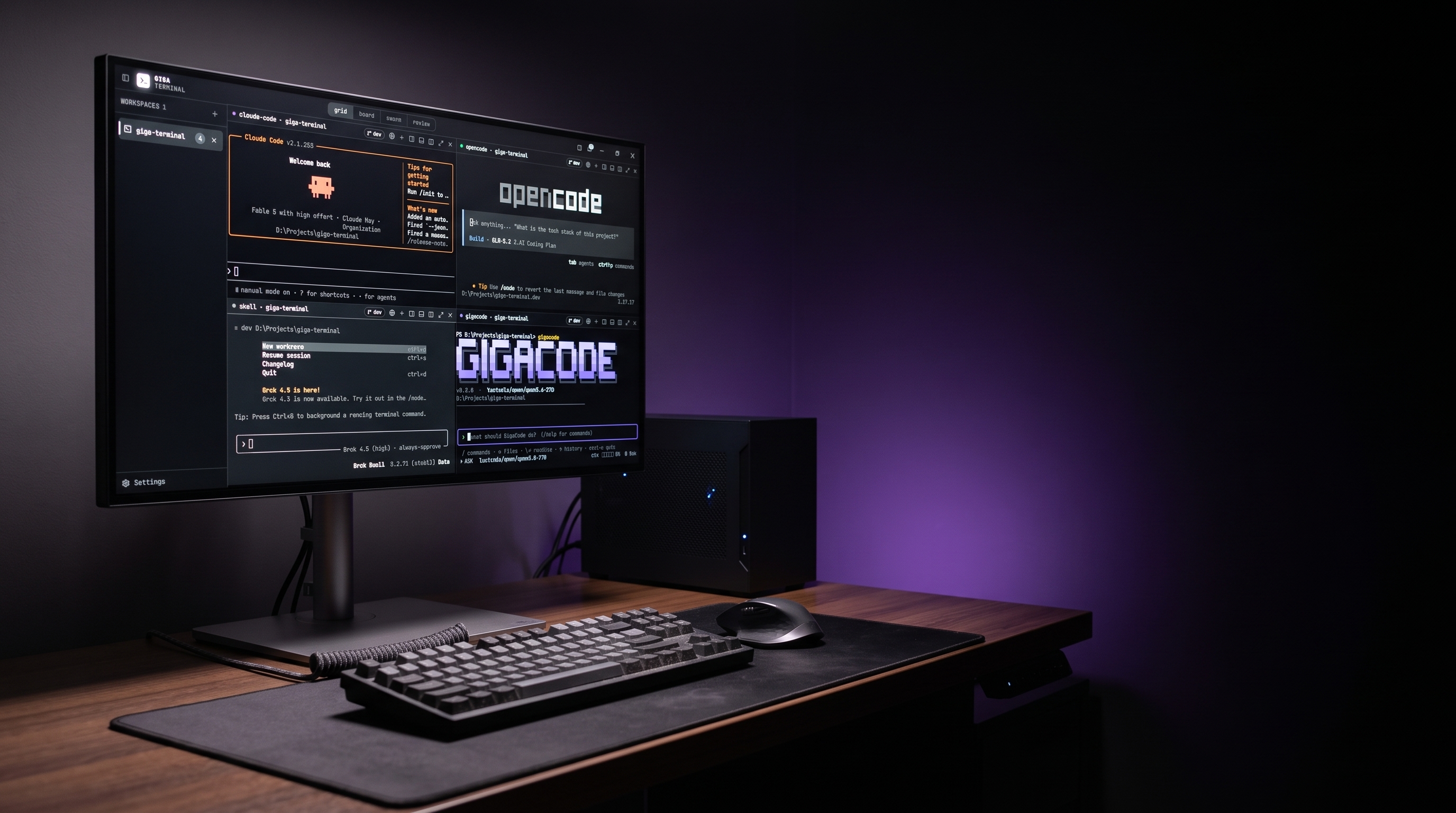
GigaGrid’s multi-pane terminal on an ultrawide monitor in a dark purple-lit room
GigaGrid

The grid runs up to sixteen agents at once. The sky is the limit.

GigaGrid is a terminal workspace built to run multiple AI agents side by side. Every pane is a live session you can type into, and your saved layout opens with its agents already running.

GigaGrid

One workspace for every agent

Free up to 4 terminals · Pro up to 16

Every agent stays in view

GigaGrid keeps every live session together as agents build, finish, and wait for their next instruction.

Every session stays within reach

Every pane is a real terminal. Click in and you are typing in the same session the agent is running, with full scrollback.

Your workspace opens ready

Save a project folder, a layout, and the agents to launch. Every terminal opens with its agent already running, exactly the way you left it.

How it works

Open a folder and every agent is ready

GigaGrid is the free terminal workspace at the heart of Giga Terminal.

01

Point it at a folder

Pick a project, choose a layout of up to sixteen panes, and pick which agents to launch. Every pane opens with its agent already typing.

02

Split as the work grows

Split any pane right or down, launch another agent, or flip a pane to the browser. The layout is yours and it saves between sessions.

03

Take the keyboard anytime

Click any pane to type in the same session the agent is running. Ctrl+click a URL in the output and it opens right there.

Try the grid

Press + in any pane header to boot another terminal, up to sixteen. Press + in the rail to open another workspace.

GIGATERMINAL22
gigacode · giga-terminaldev
PS D:\Projects\giga-terminal> gigacode
v0.2.0 · lmstudio/qwen/qwen3.6-27b
D:\Projects\giga-terminal
what should GigaCode do? (/help for commands)
/ commands · @ files · \⏎ newline · ↑ history · ctrl-c quit
ASKlmstudio/qwen/qwen3.6-27bctx ▱▱▱▱▱ 0% · 0 tok
gigacode · giga-terminaldev
PS D:\Projects\giga-terminal> gigacode
v0.2.0 · lmstudio/qwen/qwen3.6-27b
D:\Projects\giga-terminal
what should GigaCode do? (/help for commands)
/ commands · @ files · \⏎ newline · ↑ history · ctrl-c quit
ASKlmstudio/qwen/qwen3.6-27bctx ▱▱▱▱▱ 0% · 0 tok
gigacode · giga-terminaldev
PS D:\Projects\giga-terminal> gigacode
v0.2.0 · lmstudio/qwen/qwen3.6-27b
D:\Projects\giga-terminal
what should GigaCode do? (/help for commands)
/ commands · @ files · \⏎ newline · ↑ history · ctrl-c quit
ASKlmstudio/qwen/qwen3.6-27bctx ▱▱▱▱▱ 0% · 0 tok
gigacode · giga-terminaldev
PS D:\Projects\giga-terminal> gigacode
v0.2.0 · lmstudio/qwen/qwen3.6-27b
D:\Projects\giga-terminal
what should GigaCode do? (/help for commands)
/ commands · @ files · \⏎ newline · ↑ history · ctrl-c quit
ASKlmstudio/qwen/qwen3.6-27bctx ▱▱▱▱▱ 0% · 0 tok

You write the goal. The agents write the code.

Giga Terminal is mission control for AI coding agents. Assigned work gets built, reviewed, and merged.

Get Giga Terminal

Windows ships first. macOS and Linux builds follow. The changelog tracks release dates.